
F-Droid v1.20.0 - Official Free & Open Source App Repository
F-Droid is the world's most trusted, non-profit free and open-source software (FOSS) application repository, client catalog, and decentralized package...
Technical Specifications & System Requirements
Software notes
Features
- Official Curated Repository of 5,000+ FOSS Apps.
- Cryptographically Verified Builds from Source optimized for Android.
Considerations
- Requires storage permissions to manage and access local file directories.
F-Droid for Android — Official Free & Open-Source Application Repository APK
F-Droid is the world's most trusted, non-profit free and open-source software (FOSS) application repository, client catalog, and decentralized package distribution platform developed by the F-Droid Foundation for Android smartphones and tablets. Operating as the premier alternative to commercial app stores, F-Droid provides access to thousands of verified, ad-free and privacy-respecting open-source Android applications—featuring deterministic source-code binary compilation, Anti-Features tracking disclosures, decentralized custom repository hosting, offline Bluetooth/Wi-Fi peer swapping, and automatic background updates with zero commercial advertisements.
🌟 Core Architecture & Engineering Highlights
F-Droid operates on an uncompromised ethical software distribution model focused on user sovereignty and code transparency.
Deterministic Source-Code Compilation & Signing
Unlike conventional app stores where developers upload pre-compiled binary packages, the F-Droid Build Server automatically pulls source code directly from public repositories (GitLab, GitHub, Codeberg) and compiles every application from source using isolated build environments. The resulting APKs are cryptographically signed with the official F-Droid signing key, guaranteeing that the binary running on your phone contains zero injected third-party tracking code or backdoors.
Anti-Features Warning & Tracking Disclosures
F-Droid practices total transparency through its Anti-Features flagging system. If an application contains non-free network services, promotes non-free upstreams, includes tracking components, or relies on proprietary plugins, F-Droid prominently displays an Anti-Feature badge on the listing card to inform users before downloading.
Decentralized Custom Third-Party Repository Architecture
F-Droid is not confined to a single centralized server. Users can easily add custom third-party repositories—such as the official repositories for Bitwarden, Bromite, NewPipe, IzzyOnDroid, and Guardian Project—or even connect to .onion hidden services over Tor via the Orbot proxy.
⚙️ Key Capabilities & Workflow Features
F-Droid delivers an exhaustive suite of open-source software management tools.
1. 100% Anonymous App Discovery & Zero Account Model
Browse, search, install, and update thousands of open-source applications completely anonymously with zero user registration, zero telemetry profiling, and zero Google Play Services dependencies.
2. Offline Peer-to-Peer App Swapping (Nearby Share)
Share installed open-source applications and repository updates directly with nearby friends and family over local Wi-Fi or Bluetooth hotspots without requiring an active internet connection.
3. Historical Version Rollbacks & Archive Access
Need an older version of an app for compatibility? F-Droid archives historical releases, allowing users to inspect full version changelogs and roll back to any previous version with a single click.
4. Background Automated Updates & Privileged Extension
Keep your open-source tools updated automatically. Configure F-Droid to check for repository updates over Wi-Fi, pairing with the F-Droid Privileged Extension or Shizuku for silent background updates.
📊 Comprehensive Head-to-Head Comparison Matrix
| Evaluation Dimension | F-Droid (FileCobra) | Aurora Store | Droid-ify (F-Droid Client) |
|---|---|---|---|
| Catalog Scope | 100% Free Open Source (FOSS) | Google Play Catalog | F-Droid & Third-Party Repos |
| Build Infrastructure | Official Non-Profit Build Farm | Google Play Mirrors | Connects to F-Droid Repos |
| Nearby Offline Sharing | Yes (Built-in Swap) | No | No |
| Anti-Features Badges | Yes (Transparent Badges) | Exodus Privacy Reports | Anti-Features Badges |
| Tor (.onion) Repository Sync | Yes (Native Orbot Support) | No | Proxy Support |
| License Type | GNU GPLv3 (100% Free FOSS) | GNU GPLv3 | GNU GPLv3 |
📋 Technical Hardware & System Requirements
F-Droid runs smoothly across all Android smartphones, tablets, and e-ink devices:
| Hardware Component | Minimum System Requirement | Recommended Performance Spec |
|---|---|---|
| Operating System | Android 5.0 (Lollipop) or higher | Android 11 / 12 / 13 / 14 / 15 |
| Processor (CPU) | ARMv7 / ARM64 / x86 / x86_64 Processor | Modern Quad-Core or Octa-Core Processor |
| System Memory (RAM) | 512 MB RAM | 2 GB+ RAM |
| Storage Space | 20 MB for app + Repository Index Cache | High-Speed Internal Storage |
| Network Connection | 3G / 4G LTE / 5G / Wi-Fi | Wi-Fi for Automatic Background Repository Sync |
🛠️ Step-by-Step Installation & Quick Setup Guide
Follow this guide to install and configure F-Droid on Android:
1. Downloading and Installing F-Droid
- Download the official verified F-Droid APK package (
f-droid-app-repository-v1.21.x.apk) from FileCobra. - Tap the file to install and open F-Droid.
2. Updating Repositories & Adding Custom Sources
- Swipe down on the Latest tab to pull and sync the official F-Droid repository index.
- Navigate to Settings > Repositories to toggle on curated community repositories (e.g., Guardian Project or IzzyOnDroid).
3. Installing Privacy-Respecting Apps
- Browse categories (Security, Multimedia, Connectivity, Development) and tap Install to enjoy 100% open-source software!
🔒 Security, Privacy & Open-Source Integrity Analysis
F-Droid represents the gold standard in non-profit software governance and security:
- 100% Free & Open Source: Maintained by the non-profit F-Droid Foundation under GNU GPLv3.
- Reproducible Builds: Transitioning toward 100% bit-for-bit reproducible builds independently verifiable by researchers.
❓ Frequently Asked Questions (FAQ)
What makes F-Droid different from other Android app stores?
F-Droid hosts exclusively free and open-source software (FOSS), builds apps directly from their public source code on its own secure build servers, and contains zero commercial ads or tracking.
Can I add custom third-party repositories to F-Droid?
Yes! In Settings > Repositories, you can tap the "+" icon to add any compatible F-Droid repository URL (such as NewPipe or IzzyOnDroid).
Is F-Droid safe to use on non-rooted Android phones?
Yes! F-Droid is completely safe and runs on all standard non-rooted Android smartphones, tablets, and de-Googled operating systems.
Key Highlights & Features
- Official Curated Repository of 5,000+ FOSS Apps
- Cryptographically Verified Builds from Source
- Explicit Anti-Features & Tracker Warnings
- Nearby P2P App Sharing via Wi-Fi/Bluetooth
- Zero Advertisements, Accounts, or Subscriptions
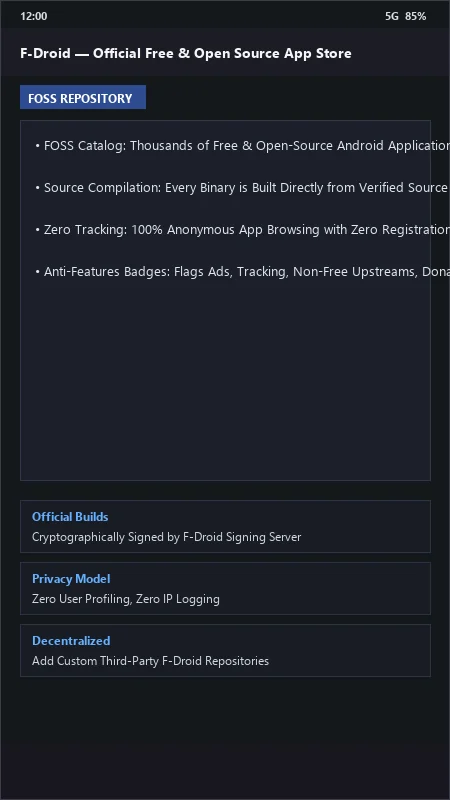
F-Droid UI & Interface Screenshots
How to Install & Verify F-Droid
Download the official verified APK file directly to your device.
Enable "Install Unknown Apps" in your Android Settings if prompted.
Tap the downloaded APK notification to install and launch the app.
F-Droid Version History & Build Numbers
Every F-Droid build FileCobra has mirrored, newest first. Match the build number against the copy you already have to confirm whether you are up to date.
- Added index v2 differential repository update format
- Fixed background repo sync timeout
- Enhanced Tor onion routing proxy support
- Faster repository metadata parsing
- Added custom third-party repo QR code scanner
- Dark theme UI improvements
- Milestone stable release with full Free and Open Source Software catalog management
Related Android APK Software & Alternatives

Frequently Asked Questions & Verification Guide
What makes F-Droid different from other Android app stores?
F-Droid hosts exclusively free and open-source software (FOSS), builds apps directly from their public source code on its own secure build servers, and contains zero commercial ads or tracking.
Can I add custom third-party repositories to F-Droid?
Yes! In Settings > Repositories, you can tap the '+' icon to add any compatible F-Droid repository URL (such as NewPipe or IzzyOnDroid).
Is F-Droid safe to use on non-rooted Android phones?
Yes! F-Droid is completely safe and runs on all standard non-rooted Android smartphones, tablets, and de-Googled operating systems.